Navigation
  User Options

  Quick Links


Your #1 community for graphics, layouts, glitter text, animated backgrounds and more.


(offline)
Name:   xAMYxRanking:   --
Birthday:   1996-08-11Country:   
Joined:   2009-04-01Location:   
Posts:   276 comments
Uploads:   30 graphics  (nothing yet)Visits:   0 visits
Web:   Nya


OFFLINE


Ichiban dei,


Create your own visitor map!


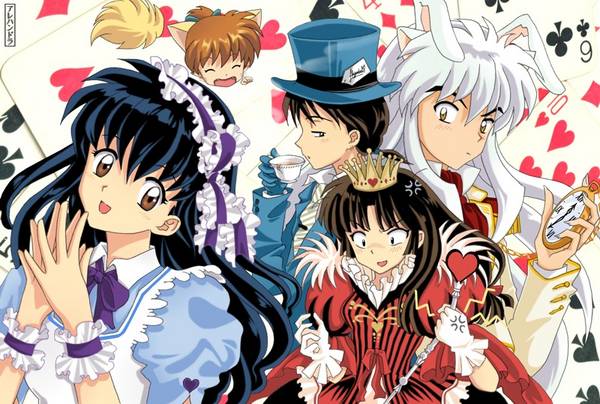
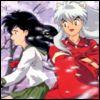
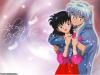
Inuyasha 4 Life!!!!!!!


BTW, are there any inuyasha fans out there? if so, add me! plz!

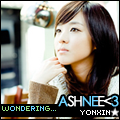
Here are my fave japanese singers (mie and aila)


They sang for the ending of bleach (anime) even though i don't watch it

I like mie better she is pretty aila is a bit ugly!!!!
xAMYx's buddies:
Login or register to add xAMYx as your friend!
User Comments


sic writes:
Addedyou(:<3


Posted on: Nov 12th 2009, 11:41:43am

♥mewaimee♥ writes:
Hey there.
I added you.


Posted on: Aug 4th 2009, 4:06:18am

kagome1141 writes:
hey:) nice page
i'd love to be your friend


Posted on: Jun 28th 2009, 4:33:59pm

chibifansclub12 writes:

YOUR INVITING TO JOIN AT THE CLUB PLS. JOIN NOW.! JUST CLICK THE CLICKIE THANKS BE SURE TO READ THE CLUB INFO HOW TO JOIN AND WHAT IS THE RULES THANKS :)


Posted on: Jun 12th 2009, 1:36:33am

chibiluversclub writes:
3rd Contest!!
-Make a Cute Chibi banner Contest!
-wiff dah name "Chibi Luvers Club" in watever style U want.
-And watever size u want
-And watever chibi characters u want

Give dah Entries Here!!


Member Card!
Hey!DO You Luv dis club??And a certified&Kawaii member of dis club?
Then Put Dis in yur cute proffie!!:D Thanks for those who put dis on their prof ;)

(url=http://glitter-graphics.com/users/chibiluversclub)
(IMG)http://i40.tinypic.com/288mjxy.gif(/IMG)(/url)

by dollie24


Posted on: Jun 5th 2009, 1:35:11am


Posted on: May 30th 2009, 12:51:30pm

woosh writes:
Heyy.
I may start roleplaying again soon.
How was your day?
x


Posted on: May 27th 2009, 9:06:29am

bethyboowho2 writes:
what ending theme song do they sing of bleach? im like a major anime fan lol XD bleach is my all time fav show, 1st anime i watched XDD


Posted on: May 26th 2009, 9:07:46pm

msjbelle writes:
Its page 46 of my comments. Heres the fill I used. (Instead of adding noise I added each frame of the fill in it's place)


Posted on: May 25th 2009, 9:53:03pm

msjbelle writes:
You can see this tut that a nice person left on my page on page 46 and it has pictures. I used a fill that I will send to you in a moment. You have to first open the fill in Animation Shop & then copy the 3 frames into Paint Shop Pro I use 9 still. Are you at all familiar with this programs? If not I can try to go into more detail.


Posted on: May 25th 2009, 9:50:10pm

msjbelle writes:
How to make a Glitter outline

1. Open up new image 500 X 500
2. Select font type - I use Storybook
3. Select colors - light pink & dark pink
4. Type what you want - I used I love Glitter

5. Select layers - scroll down to merge - select merge visible
6. Go to selections - select All
click selections again
click on float
click selections again
click defloat
click selections again
click modify then expand
-a box will pop will pop up asking numbers of pixels
you decide how much glitter you want around the words. I use 10
click okay
7. Go to your materials and decide what color
glitter you want. I use light grey to make the silver effect.
8. Click on the little bucket to fill in the grey glitter.
Then fill in the space between your words and the dotted
line. Make sure all is filled in with the grey color.
9. Click selections and scroll down to select none
This takes the lines away.

10. Now you need to make 3 frames.
go to edit and scoll down to copy then
edit again scoll down to paste as new image
make sure to paste 3 new images
11. Click on the magic wand tool
12. Click on the grey color make sure not to miss any
This will leave dotted lines around the letters and outer edge of
the grey color
Repeat on the other two images
13. Click on adjust - scroll down to add/remove noise
click on add noise
A box will pop up make sure Ggaussian is marked
as well as Monochrome
For the first frame I use 40% noise
click okay
Now repeat step 13 for the next two images
only changing your percentage from 40 to 45 for the 2nd
image and 50 for the 3rd image
14. Click selections - scroll down to select none
repeat on all three images
15. Click on file scroll down to save as. I save my
images in a folder called Anis. This way I know it's my
folder for making glitter graphics. Save the image as
a PNG Portable Network Graphics (*png)
Repeat this step for all three images
16. Now open up your JASC Animation Shop
(if you know how to use this program you don't have to read
the following steps since you would already know how)
Click the 1st button at the left that looks like a
film strip with a wand in front of it. A box will pop up
named Animation Wizard. Make sure the same size
as the first image frame is marked
Click Next
Make sure transparent is marked
Click Next
make sure centered in the frame is marked
make sure with the canvas color is marked
Click Next
make sure Yes, Repeat the annimation indefinitely is marked
I use 10 for how long for each frame to be delayed
Click Next
Click add image
Highlight all 3 images you created
Then Click open
Click Next
Click Finished
Your three images will appear like a film strip.
Go up top and click the filmstrip Icon at the right
next to the icon with the questionmark. This will show your
finished image. Click on file and save as then name your image
what ever you like. Now you're done.

This is your finished product


Posted on: May 25th 2009, 9:48:27pm

sesshomaru9999 writes:
sure ^.^


Posted on: May 25th 2009, 2:07:00am

inuyasha_girl14 writes:
sure, why not?
nice default..


Posted on: May 24th 2009, 9:26:20pm

blue_anime writes:
friends r u a fan on inushua ssailor moon the anime cartoons


Posted on: May 24th 2009, 10:17:25am

narutogirlsclub writes:

JOIN NOW!!


Get on this link while clickies are ready
http://www.glitter-graphics.com/users/narutogirlsclub


Posted on: May 23rd 2009, 4:45:08pm
Add your comment. Please login or register to submit your comment.